← All work

CASE STUDY 01 · SCENARIO-BASED eLEARNING · GOVERNMENT · CORPORATE

The Briefing Room 

Help busy professionals write clearly, cut the fluff and structure documents that get decisions made.

The Briefing Room title screen
View the live project ↗

Client

Polaris Public Solutions  (conceptual)

Role

instructional design · scenario writing · action mapping · Storyline 360 development · storyboarding · prototyping · visual design

Deliverables

scenario-based eLearning · job aids

TOOLS

Articulate Storyline · Figma · Magnific · ElevenLabs · Sora · ChatGPT · Adobe Creative Suite

01 – The problem

The writing was getting reviewed. And reviewed again.

Polaris had already invested in workplace writing training. But the same problems kept showing up in analysts’ drafts. Recommendations were buried. Headings told readers what a section was about, but not what they needed to know. Formal, wordy language made relatively simple ideas harder to understand.

The problem mattered because Polaris’s readers – senior advisers, government clients and decision-makers – were already short on time. They scanned first and read selectively. If the point wasn’t clear quickly, the document stalled.

In the project scenario, reviewers flagged 60% of drafts for having no clear message, and documents averaged 3 rounds of internal review. Poor-quality writing created rework, slowed decisions and weakened client confidence.

The challenge wasn’t simply knowing what good writing looked like.

It was being able to make the right writing decisions under pressure.

02 – The solution

Practise the decisions that actually change the document.

I designed The Briefing Room around 3 writing decisions with the greatest impact on the performance problem.

Summarise it.

Can a busy reader see the issue, why it matters and what needs to happen – without digging for it?

Structure it.

Do the subheadings help the reader follow the argument, or simply label chunks of information?

Say it.

Is the language clear, concise and credible for the people who actually need to read it?

Learners work through these decisions inside a fast-moving workplace story rather than a traditional writing course. They review several sections of a ministerial brief and a public letter, make choices and immediately see the consequences.

A time-poor adviser may green-light the document – or send it back. A stronger structure saves on editing. Clearer public language builds trust rather than distances the reader.

Feedback is deliberately light-touch. Ava, a senior analyst, offers short on-demand tips, but there's no lecture before the learner gets to act.

The point isn't to memorise writing rules. It's to see the results that clear writing gets.

03 – Process

From performance problem to tested solution.

In practice

The same five phases,
walked through
end to end.

01 · Analyse

← Process overviewStep 1 of 5

Start with the performance problem.
Then start mapping.

Before thinking about screens, interactions or visual treatment, I worked backwards from the behaviour that needed to change.

Polaris didn’t need its analysts to know more grammar rules for writing. It needed them to produce documents to help busy readers find what they need, understand it and act on it faster.

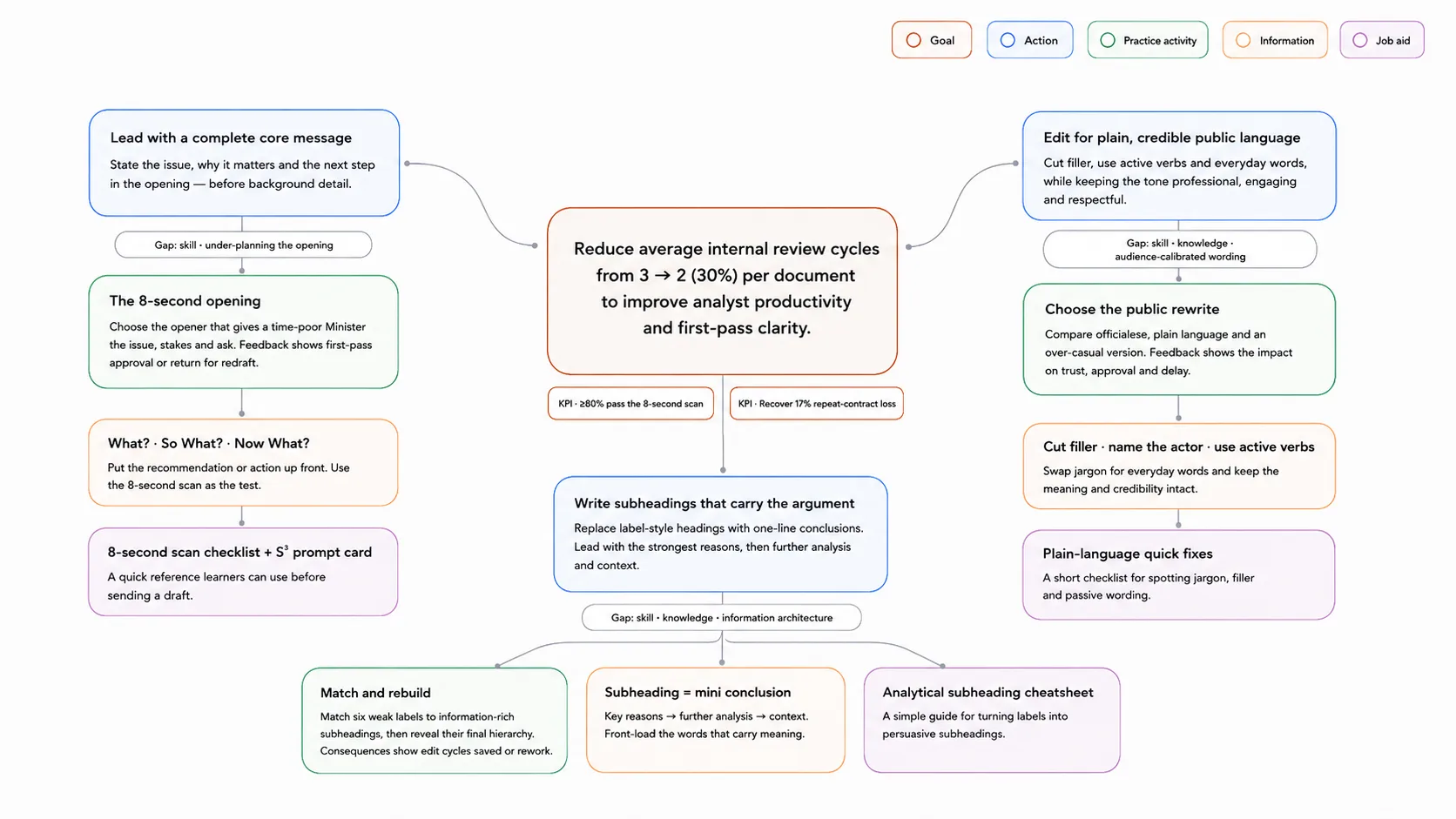
I connected this performance problem to 3 clear business goals: reduce review cycles, improve first-pass clarity and protect client relationships.

To meet these goals, I used Kathy Moore's "Map It" framework to develop an action map. This process identified key decisions writers need to get right from the start. After brainstorming potential tasks and gathering feedback, I defined 3 high-impact moments: lead with a complete core message, write subheadings that carry the arguments and edit for plain language.

SUMMARISE IT  ·  STRUCTURE IT  ·  SAY IT

Now the learning design had somewhere concrete to go.

↳ The action map that turned a vague brief into a single behaviour to design for.

02 · Design

← Process overviewStep 2 of 5

Find the few decisions that matter most.

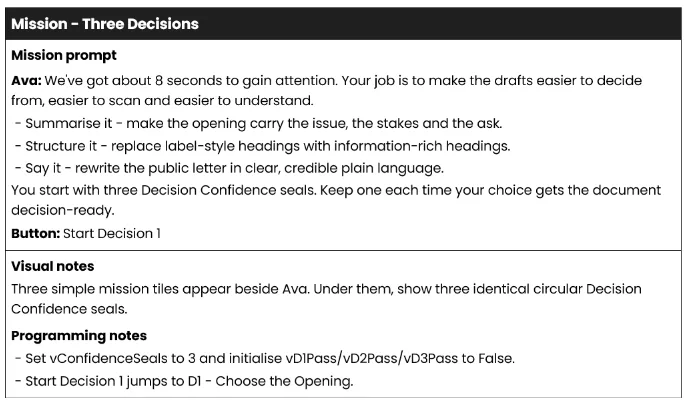
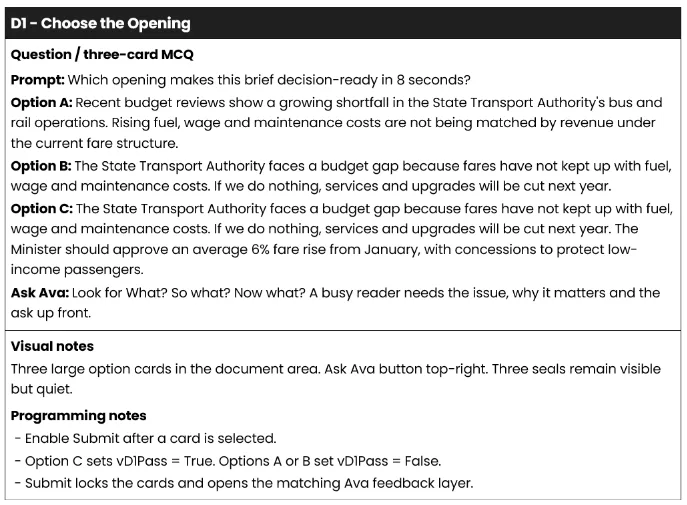
With the full experience narrowed to 3 high-leverage decisions, I mapped it out in a text-based storyboard: from the "cold open" to hook learners by having them experience an initial challenge before the scenario formally starts, to decision points, consequences and mentor pro tips.

Each moment reflects common scenarios writers face at work: like jumping straight into a draft without first planning, or writing for themselves rather than considering their reader.

Rather than rely on instruction, I let learners make choices and see the outcome for themselves. They can ask their mentor, Ava, for help at any point, but the story continues regardless of their choice to seek help.

That balance gave the experience an authentic and approachable feel, without sacrificing guidance.

Storyboard for the mission briefing screen
Storyboard for decision 1
↳ Storyboard samples – helped translate the outline into a functional blueprint before the full Storyline build. I use that to streamline collaboration, plan complex interactions and lock down the overall course structure. Visual / programming notes bridge the gap between creative design and technical build.

03 · Develop

← Process overviewStep 3 of 5

Build it. Test what gets in the way.

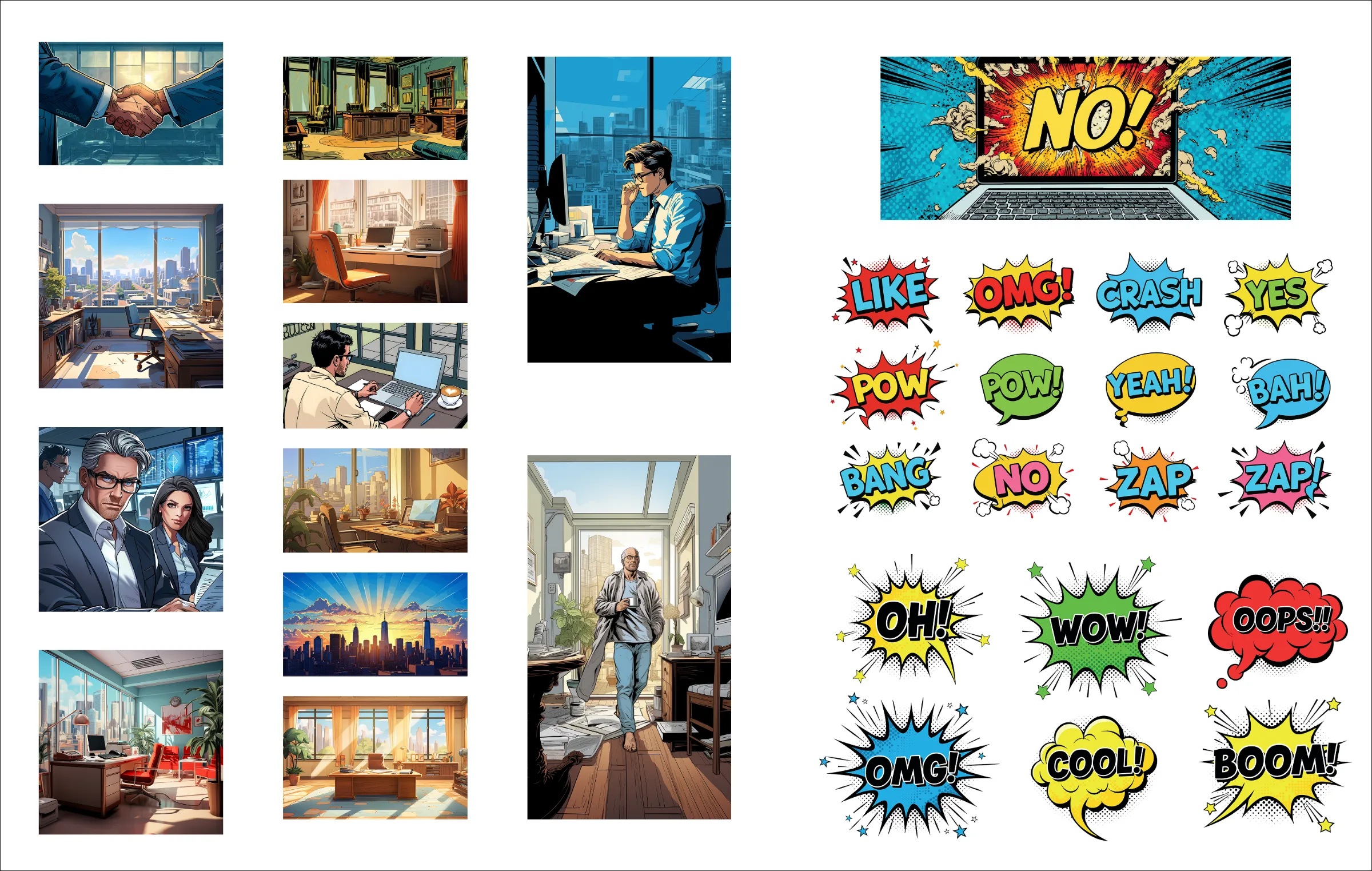
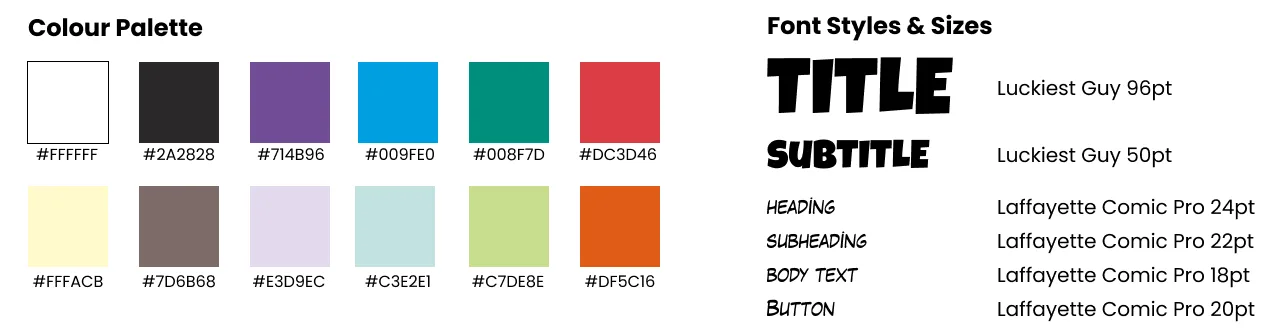
As the storyboard evolved, so did the visual language. Emails, instant messages, workplace documents and moments of comic relief became part of the narrative, so I developed an energetic golden-age comic aesthetic to make a fairly dry subject feel immediate – without turning it into a gimmick.

I used Magnific to create characters and locations, then built a reusable custom style, #goldenagecomic, to keep the visual world consistent. In Storyline 360, I brought the pieces together: interactions, character exchanges, document treatments, feedback layers and consequence moments – all built around Jesse’s three workplace decisions.

The goal was simple: make it memorable, but never let the design compete with the learning.

Colour palette and typography for The Briefing Room
↳ The colour and type system inspired by the golden age comic book aesthetic.
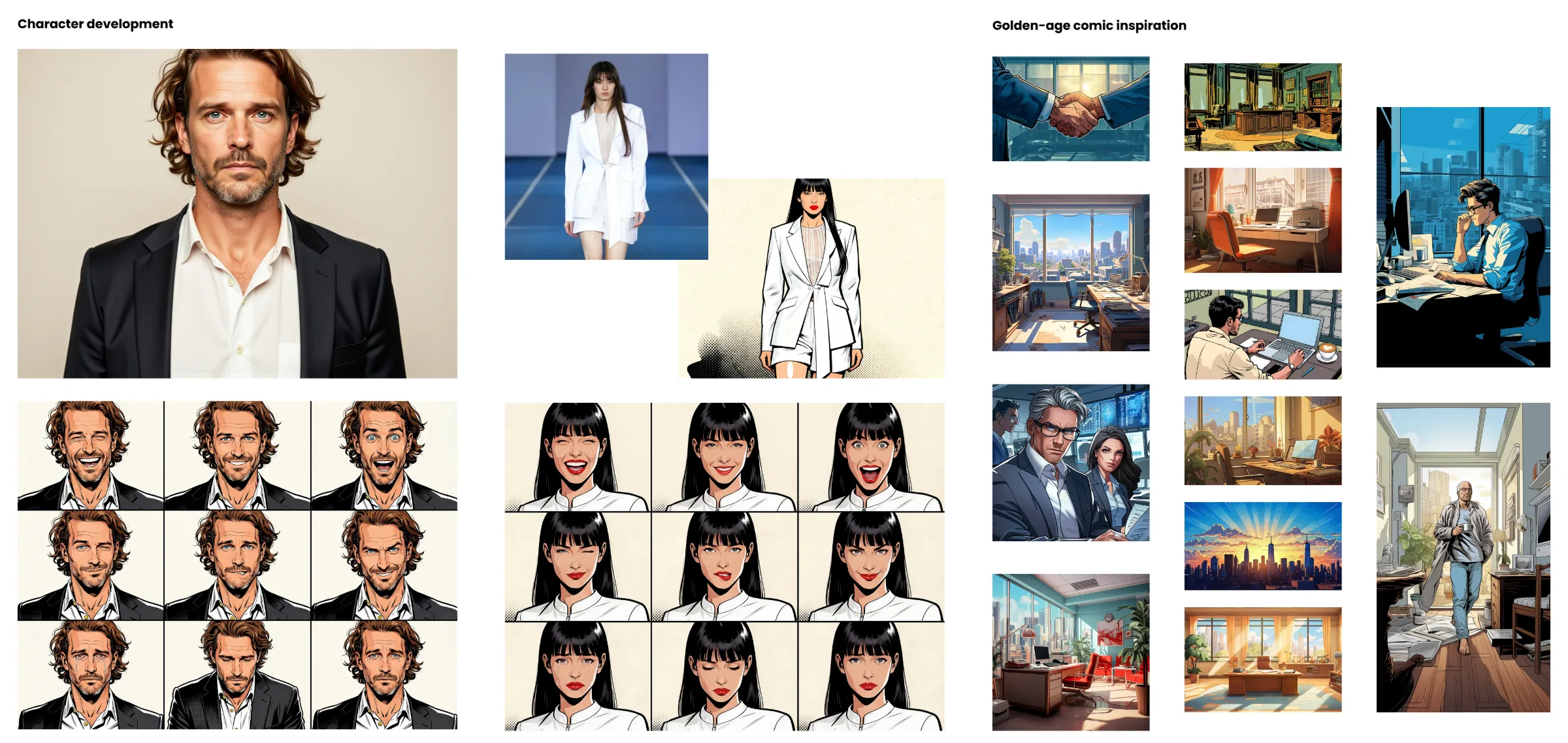
↳ Ava, our mentor character. Refined after iteration to give on-demand guidance, she nudges learners towards critical thinking instead of problem-solving for them.
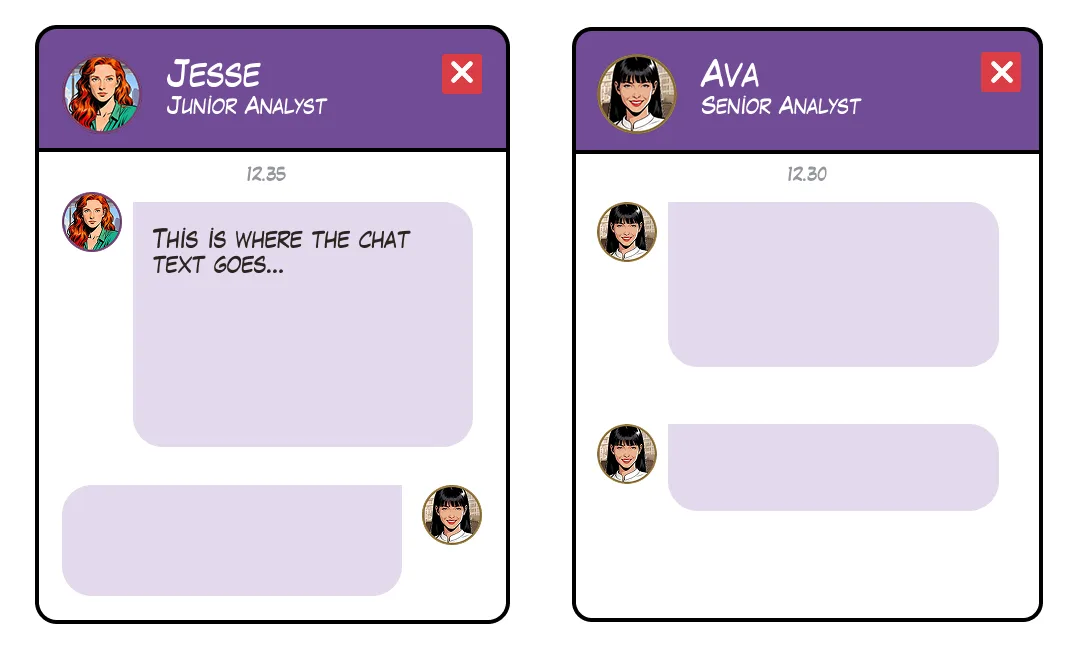
Teams-style chat panel design
↳ The "Teams-like" interactive chat interface that enhanced engagement.
Character development for The Briefing Room
↳ Drawing inspiration from the golden-age comic era (think: bold line art, basic four-color [CMYB] process, Ben-Day dot shading) I designed versions of each character, buttons, badges and Teams-like pop-out chats boxes in Magnific.
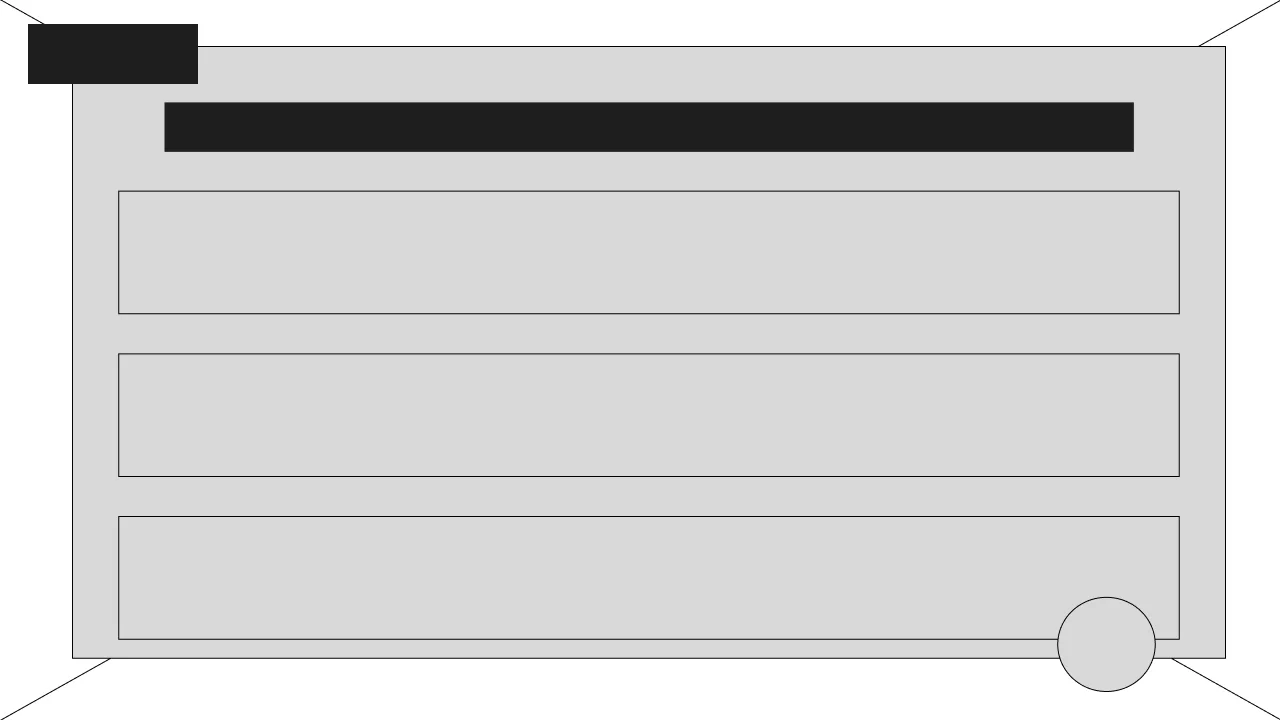
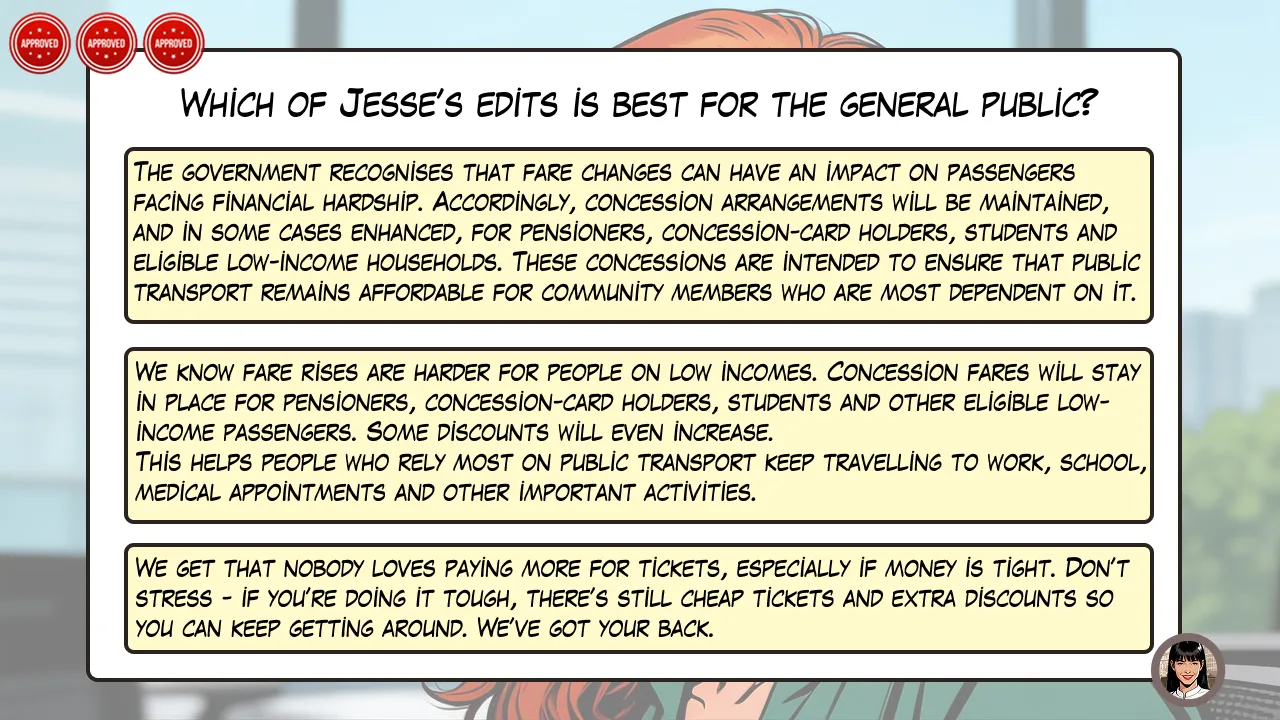
Decision 3 design, version 1
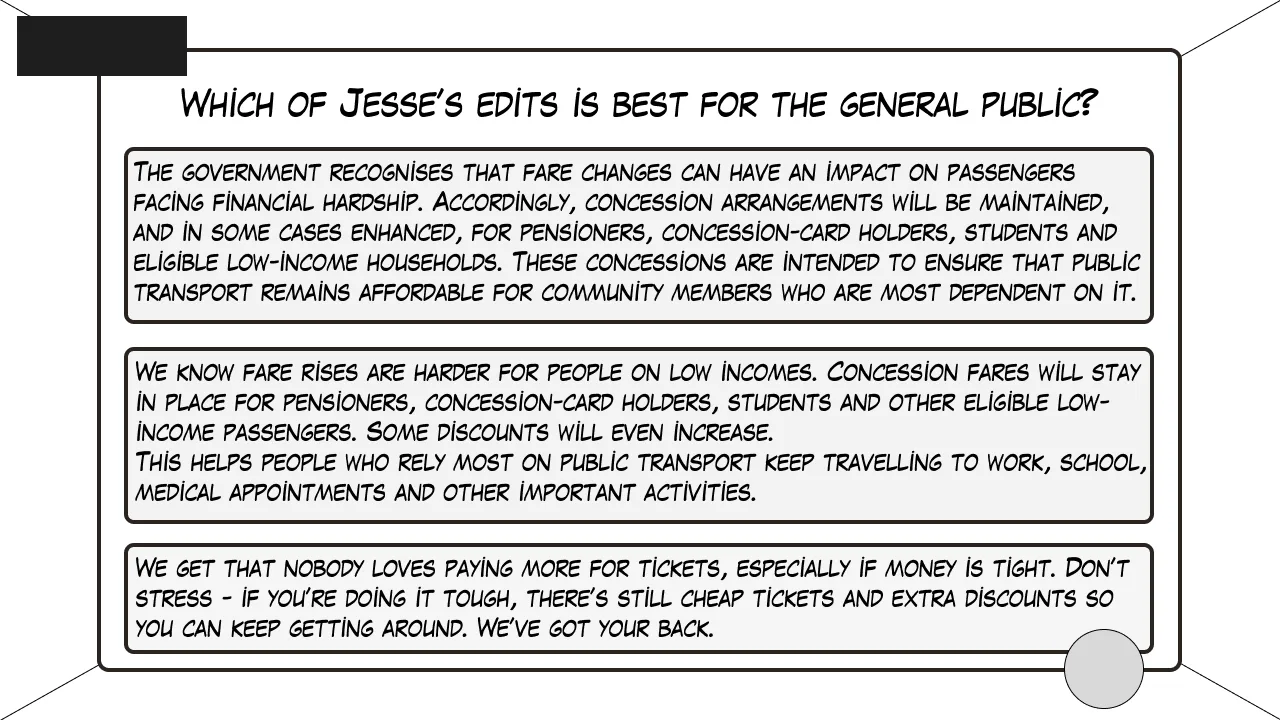
Decision 3 design, version 2
Decision 3 design, version 3
↳ The plain language decision slide, from wireframe to finished interaction: success meter, challenge and mentor pro tip button.

04 · Implement

← Process overviewStep 4 of 5

Pilot it with the people it was designed for.

I implemented the prototype as a small-scale pilot with five target learners, giving them the working Storyline experience and observing how they navigated it, interpreted the instructions and responded to each decision.

I also introduced the project progressively to government stakeholders – from early concept to wireframes to the first completed decision – so the experience could be tested in the context it was designed to serve.

This wasn’t a full organisational rollout. It was a controlled pilot: enough real-world exposure to see whether the experience could stand on its own before taking it further.

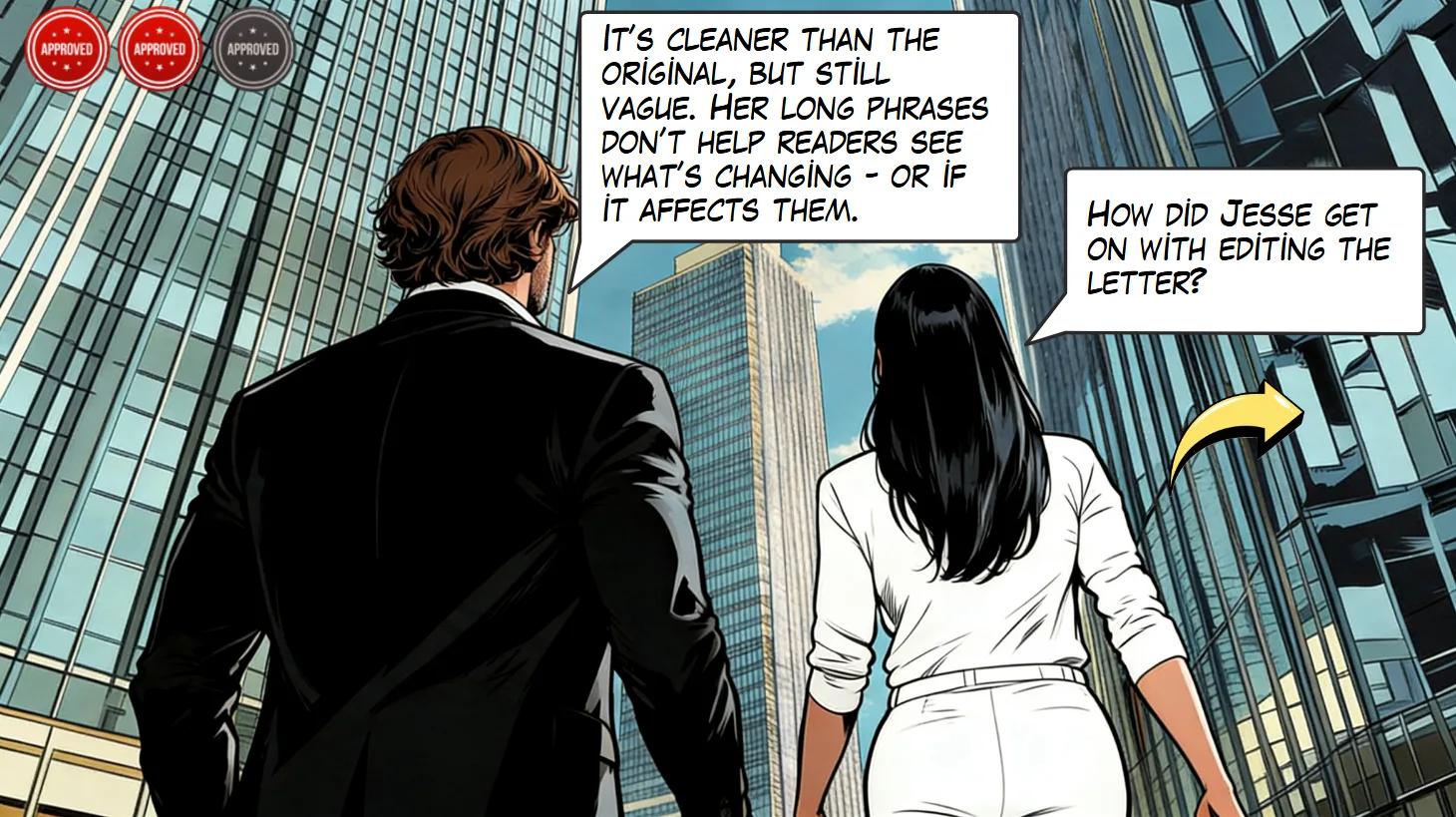
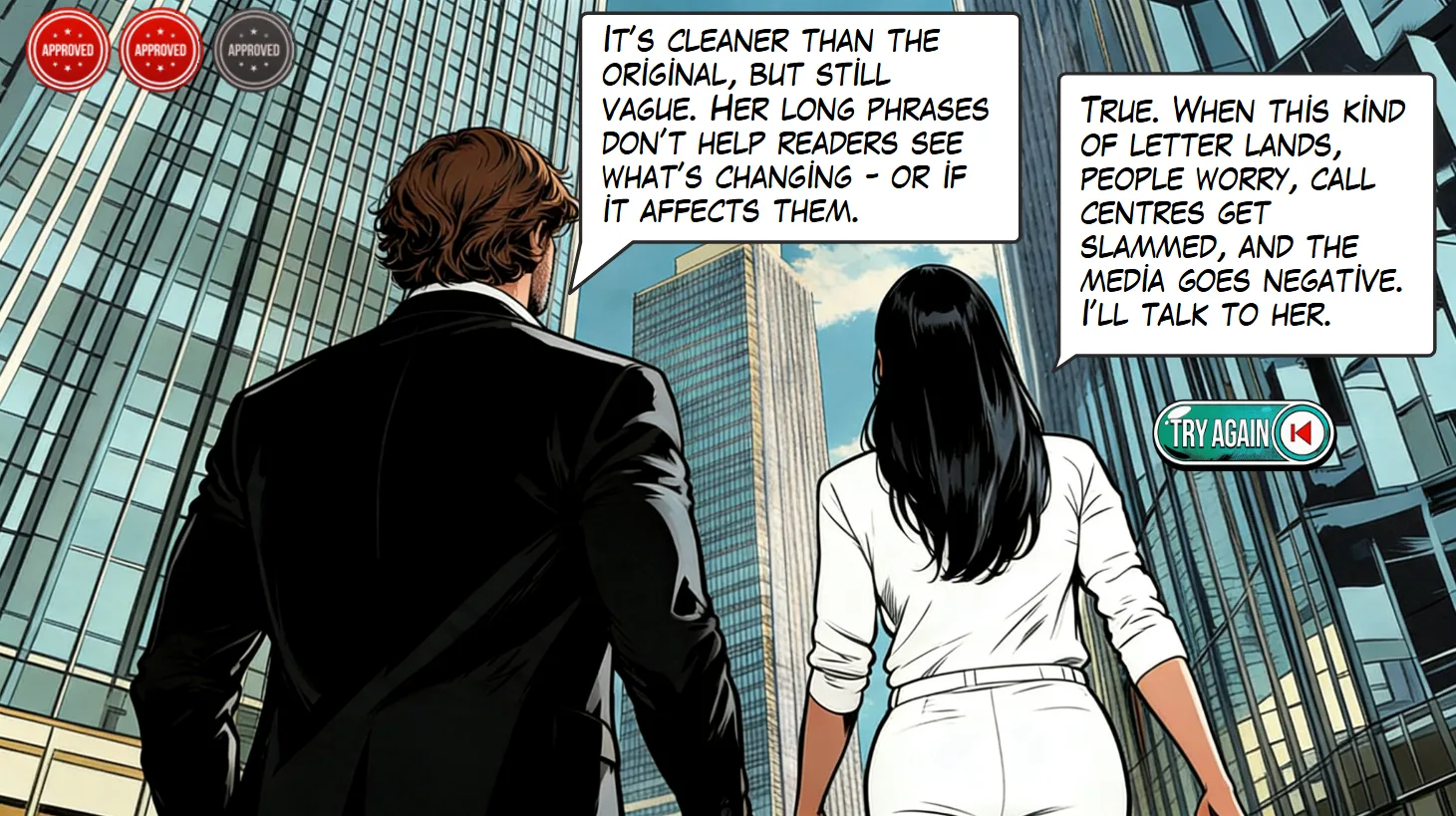
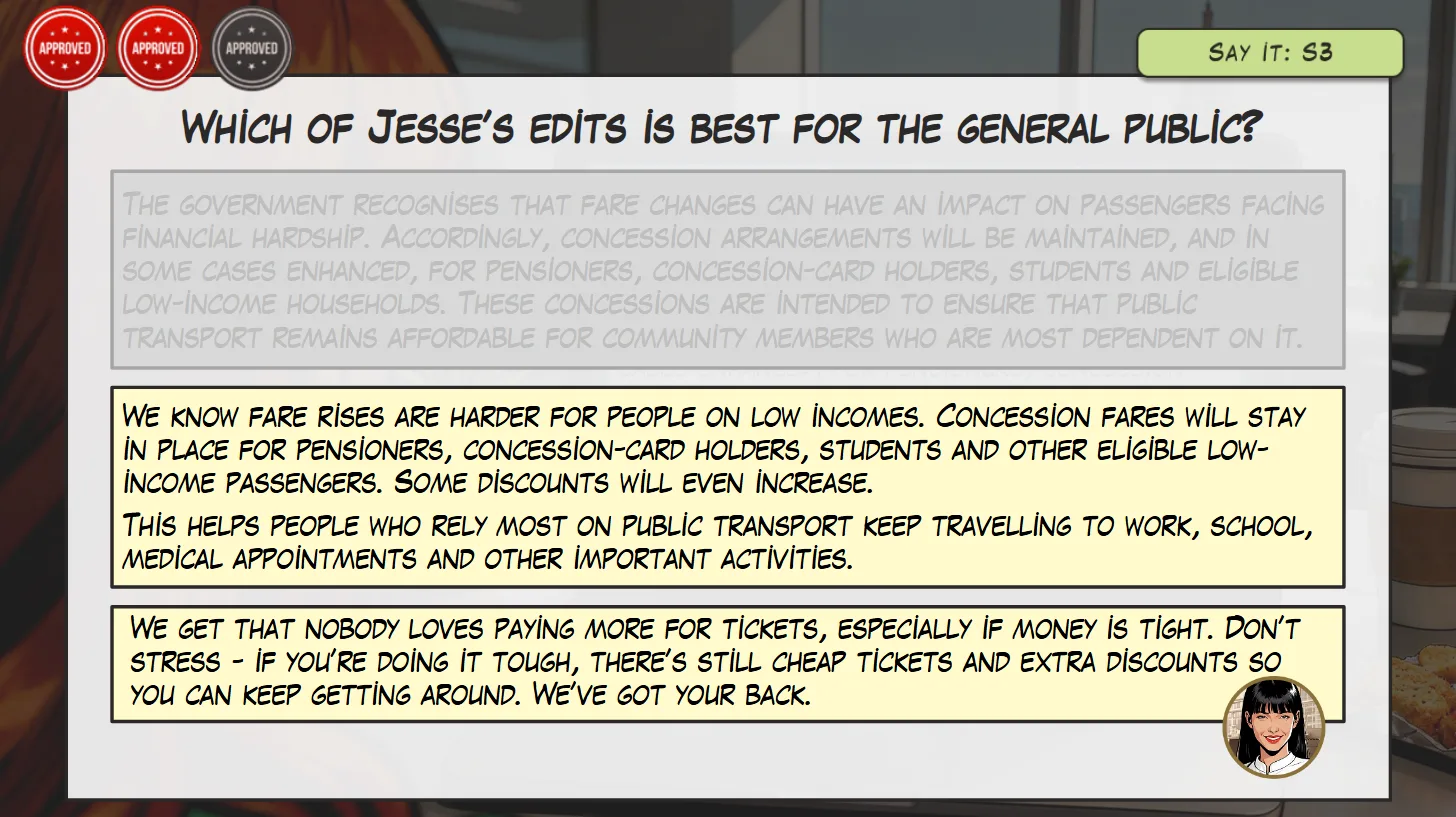
Learner path after the decision 3 challenge, screen 2 Learner path after the decision 3 challenge, screen 3Learner path after the decision 3 challenge, screen 4
↳ A full learner path after the course's "plain language" challenge – character reactions, success meter update, try again prompt and second attempt interaction.

05 · Evaluate

← Process overviewStep 5 of 5

Use the evidence to simplify and sharpen.

Testing showed me where the design was helping – and where it was asking learners to do too much. User feedback revealed that the outcome strip carried too many signals at once, so I removed it. I also cut an unnecessary second step from one challenge after watching learners struggle with the added cognitive load.

Those changes pushed the experience away from complex interaction for its own sake and towards focused workplace insight. For a full implementation, I’d carry that same logic into evaluation: measure whether the writing itself changes – clearer openings, stronger subheadings, fewer review rounds and less rework.

04 – Results & takeaways

Measuring what matters

Because The Briefing Room is a conceptual project, its organisational KPIs remain evaluation targets rather than claimed business results.

A real implementation would measure whether the experience improves the behaviours behind the original performance problem:

≥80%

of deliverables pass the 8-second scan in internal review.

3 → 2

average review rounds, reducing rework by 30%.

17%

repeat-contract loss: the organisation needs improved communication to help recover.

I’d also examine the writing itself. Are recommendations appearing earlier? Are subheadings doing more of the explanatory work? Is officialese disappearing? Are reviewers asking for fewer clarifications?

Because course completion isn’t really the result.

Better work is.

What I took away

The biggest lesson from this project was that simpler does not mean less sophisticated.

In several places, removing an interaction, a feedback layer or an extra signal made the experience stronger. Learners could focus on the workplace decision rather than the course mechanics.

Testing also reinforced the value of showing unfinished work early. Learners revealed where the experience was asking them to keep track of too much. Peer reviewers challenged whether every element still served the learning objective. Potential clients helped test whether the overall concept felt credible in context.

And the project sharpened a question I now ask deliberately in scenario-based learning:

Does this interaction create useful workplace decision – or is it simply interactive?

That distinction shaped The Briefing Room more than any individual feature.

Want a result like this?
View the live project ↗ Get in touch ↗
Previous ← Case study 01 Next →
Action map for The Briefing Room, enlarged
built module enlarged